
This is an old revision of the document!

Published 19 Apr 2022
Tracked Explorer
Overview
My first attempt at using the Dagu Explorer robot control board was halted as one of the motors died. But my brother had bought a tracked vehicle chassis that he could no longer use, so I transferred the electronics across.
Hardware description
I reused the previous platform made from the plastic base plate of a Toshiba XM-3301B CD Rom drive.


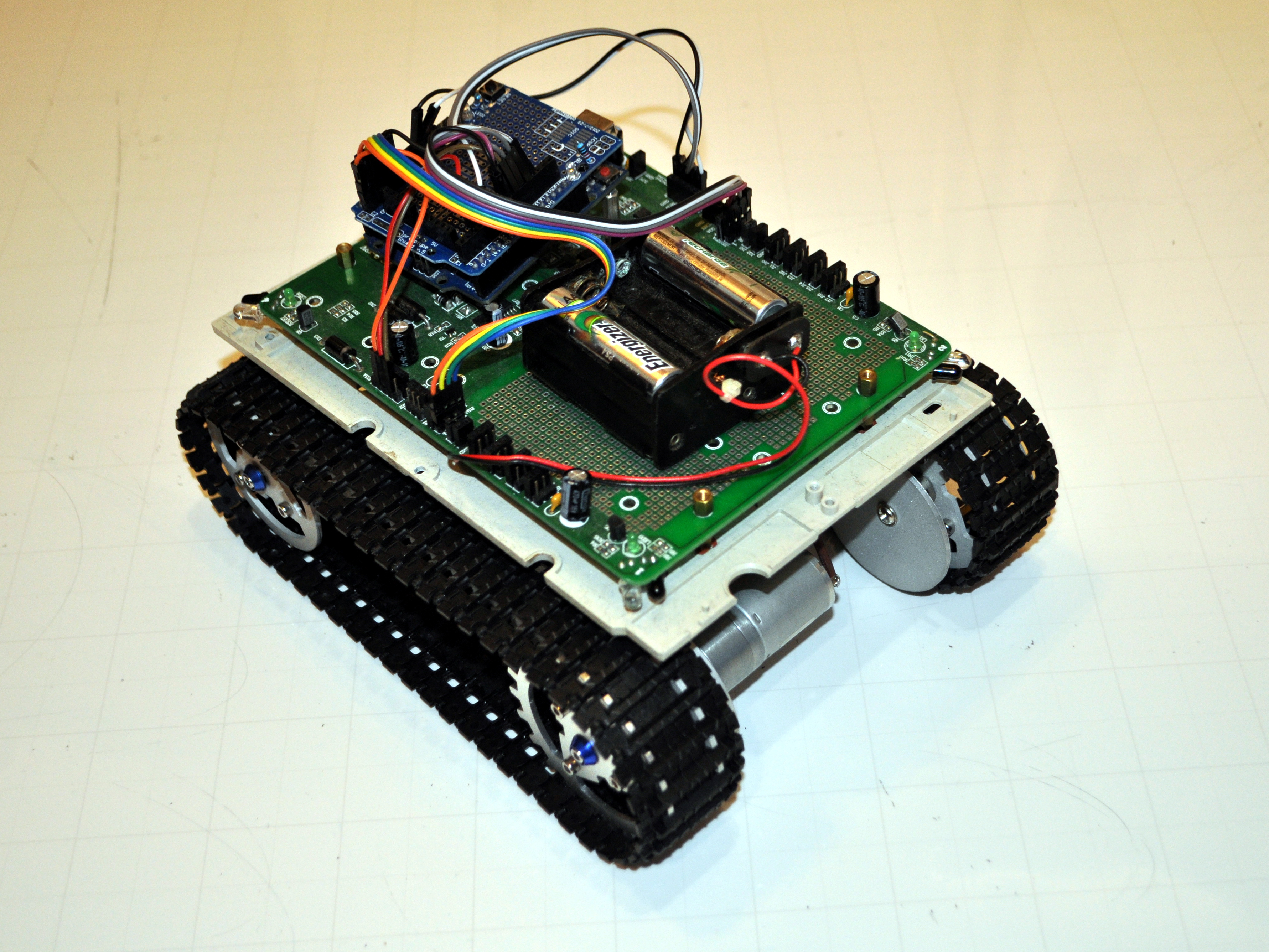
The chassis has two geared motors but instead of both driving from the same end, one is mounted at the front and the other at the rear. This means that the chassis assembly can be narrower than the width needed for two motors and gearboxes on the same axle. As with the Turbo Explorer the motors must be wired run in opposite directions (ie one clockwise, the other counter clockwise) for the robot to move in a straight line. The motors are rated at 12V, but work ok from the 7.2V motor supply on the Explorer board.
Assembled robot
 | |||
 |  |  |  |
 |
For the motors, the Explorer board uses 2 pin Molex connectors the same as found in many PC power supplies (internal plug connecting the mains wires, c0mes with high current wires attached). I modified an 8 AA cell battery pack to accommodate just 6 AA cells to provide a 7.2 to 8.4V battery for the system, found a plug (ex PC speaker I think) that matched the Explorer power jack. Strangely the Explorer board has large-pinned sockets for the outgoing power to the motors, but only a tiny battery socket through which all that power has to come!
Software
I started with the Arduino code that I used on Turbo Explorer, but changed all turning routines to drive the motors on either side in opposite directions, rather than just letting on side idle while the other powered the turn. Otherwise the tracks on one side were dragged around as the other powered the turn.
The limitations of navigating and avoiding objects with nothing more than infrared corner sensors are severe! The corner detectors don't tell you whether the obstacle is in front or beside the vehicle. There is no feedback confirming that the robot is actually moving or turning when drive commands are executed. It is possible to monitor the current consumption of the motors to detect when stalled, but the tracks usually just spin when driving on smooth surfaces.
Avoid obstacles: Initial basic “navigation” software, it is trying to drive around a room without banging into things. It just uses the front corner sensors looking for things at close range, if it detects something it turns away in the opposite direction. If it detects something on both sensors it turns around. Additionally if it has been running without turning at all for 7 seconds it guesses that it might be stuck, and turns around.
This strategy works reasonably, but it can lead the robot to end up stuck in a corner or dead end alcove, where it turns back and forth to avoid surrounding walls. It becomes apparent that the robot needs to have some form of memory of what it has just done so that it doesn't end up stuck in a corner or dead end, endlessly turning back and forth. If it detects something to the left then right it doesn't turn to the left to avoid the new obstacle on the right, but it turns further right! This is to avoid being stuck in a corner where it turns left, right, left right endlessly.
Conclusion
References and Additional Resources
- Explorer robot control board.
If any referenced page no longer exists, try looking for its URL on http://archive.org.
 Except where otherwise noted, content on this wiki is licensed under the following license: CC Attribution-Share Alike 4.0 International